
Admit, hold, reject
The gatekeeper or warehouse clerk admits the vehicle, sends a waiting message with the expected entry time, or rejects it with a reason. Exit can require warehouse approval.
Teherkapu module
Teherkapu's gate management module digitises the complete check-in and check-out of trucks, lorries and vans arriving at your site: the gatekeeper sees the arriving vehicle, its booking, the carrier and the driver on one screen, and admits, holds or rejects it with a single click.
A paper gate log is slow, error-prone and impossible to search. The gatekeeper has to record the same data again for every arrival, coordinate with the warehouse by phone, and has no accurate picture of which vehicles are on site.
With Teherkapu every entry is recorded digitally with time, plate number and photos, and the gatehouse and warehouse see the same information in real time.
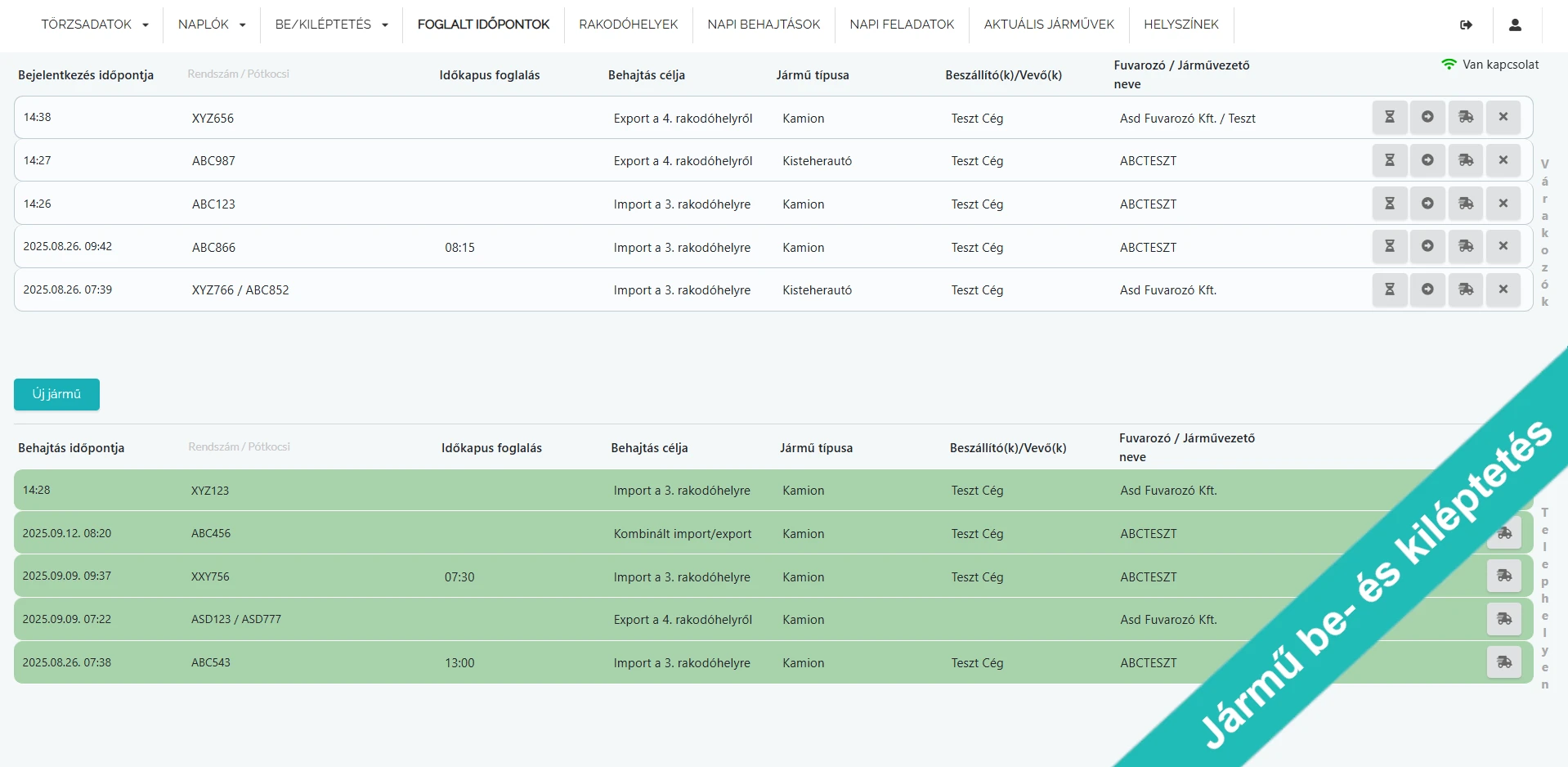

The gatekeeper or warehouse clerk admits the vehicle, sends a waiting message with the expected entry time, or rejects it with a reason. Exit can require warehouse approval.
One view of arrived, waiting, admitted and departed vehicles (with or without a booking) with early or late arrival highlighted.
Carriers can enter vehicle, trailer and driver details before arrival; on repeat visits the system fills them in automatically.
Photos of plates, cargo space, spare wheel or damage can be taken at entry and exit, each tagged by content.
Checklists with mandatory and optional tasks per entry purpose, plus recording and lookup of inbound and outbound seals.
Vehicle and trailer document management, container records, and weighbridge weight and weighing tickets.
Drivers' mandatory rest periods are taken into account when calling vehicles, and drivers can be banned for a set period with a reason.
Capture of the transport data required for the Hungarian BIREG form (permit numbers, loading and unloading country, gross weight) with PDF download.
The vehicle arrives and is captured by a licence plate camera, the kiosk or the gatekeeper.
The system finds the booking and fills in vehicle, driver and carrier details.
The gatekeeper or warehouse clerk admits or holds the vehicle and completes a checklist if required.
At exit, the system records the time, photos and exit approval.
Yes. Teherkapu records every entry and exit digitally with time, plate number, driver, carrier and photos, so the paper log can be dropped and all data can be searched at any time.
The gatekeeper can still admit or hold the vehicle. The system shows that there is no booking and displays the next free time slot.
Yes. The transport data required for the Hungarian BIREG form can be recorded with the vehicle entry, and the completed form can be downloaded as a PDF.
No. Pre-registration works in the mobile browser. On repeat arrivals the system fills in the vehicle, trailer and driver details automatically.
The gatehouse and the warehouse see the same vehicle list in real time, so no phone call is needed before admitting a vehicle. Warehouse staff can call in or hold a vehicle, and exit can require warehouse approval.
Yes. Arriving vehicles can be registered by a licence plate recognition camera, a kiosk or the gatekeeper, and barriers can be controlled from the system.
Request a callback from our expert, or set up a demo for your site in 10 minutes with just a few details.